
Markup vs Margin Calculator for Job Costing
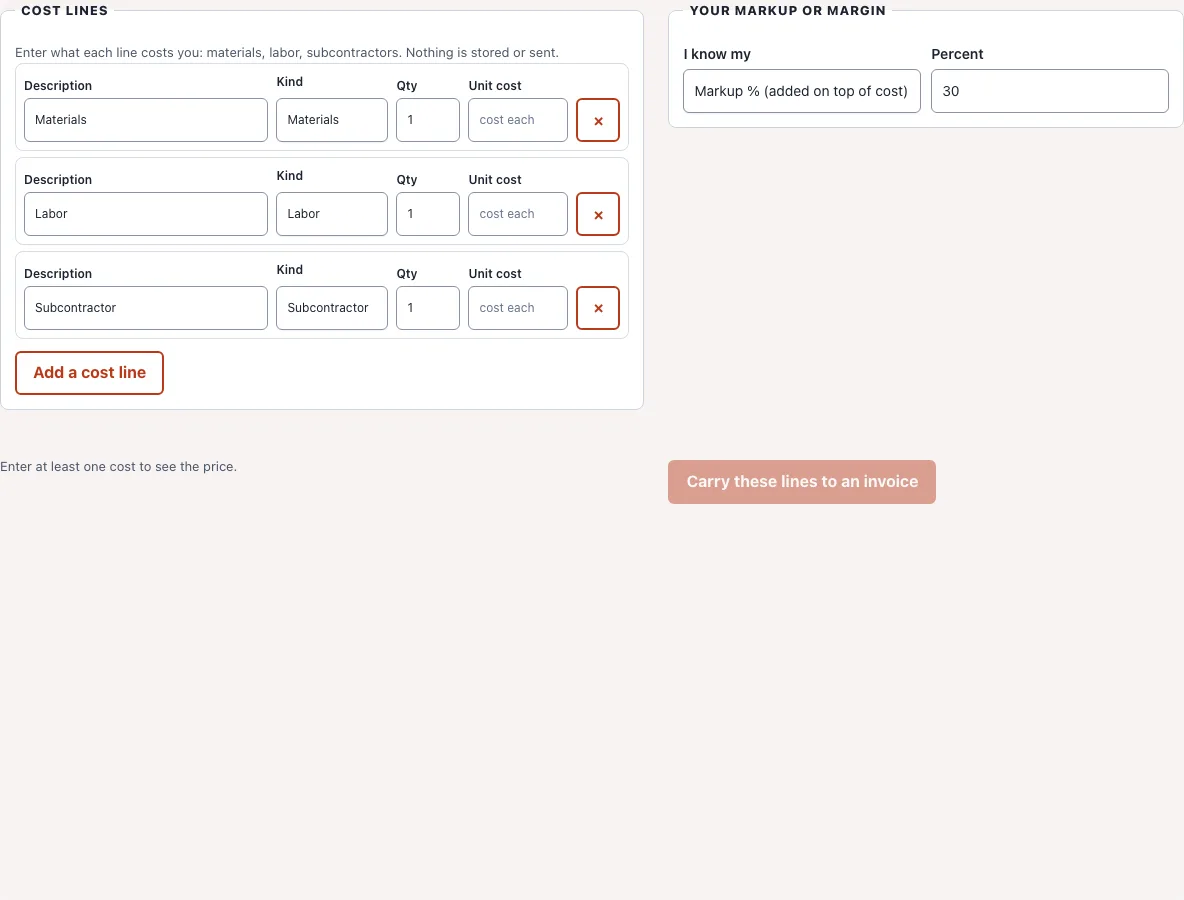
Enter what a job costs you in materials, labor and subcontractors, choose a markup or a target margin, and see the price, the profit and both percentages side by side.
Enter at least one cost to see the price.
Free · runs in your browser · nothing is uploaded
Recent
Your last 10 settings, saved only in this browser. Nothing is uploaded.
This free markup vs margin calculator, also called a margin markup calculator, is built for contractors who price a whole job, not a single item. Add your cost lines for materials, labor and subcontractors, then choose either a markup percent or a target margin percent. The page shows the total cost, the price to charge, the profit, and the markup and margin of the result next to each other.
Everything runs in your browser. Nothing is uploaded, nothing is saved, and there is no sign-up. When the price looks right, one button carries the priced lines into the contractor invoice tool on this site, where you add the customer and download a PDF.
How to price a job with markup or margin
- Enter each cost line: a name, a type (materials, labor, subcontractor or other), the quantity and your cost for one unit.
- Choose whether you know your markup or your target margin, and type the percent.
- Read the price to charge, the profit, and the markup and margin the price works out to.
- Check the table of lines: every line carries the same percent, rounded to the cent.
- Choose Carry these lines to an invoice. The lines open in the contractor invoice template with your selling prices filled in. Add the customer, tax and terms, then download the PDF. Your cost figures are not carried over, only the selling prices and quantities, so the customer never sees what you paid. The carry-over stays on your device, held in the browser only until the invoice page has read it.
- To compare two pricing choices, change the percent or switch between markup and margin and watch the price, profit and both percentages update at once. Remove a line with the cross at its end, or add as many lines as the job has.
Markup and margin conversion table
The same price gives two different percentages. These rows show how a markup you add on top of cost matches the margin you keep from the price.
| Markup on cost | Equals margin on price |
|---|---|
| 10% | 9.09% |
| 15% | 13.04% |
| 20% | 16.67% |
| 25% | 20.00% |
| 30% | 23.08% |
| 40% | 28.57% |
| 50% | 33.33% |
| 75% | 42.86% |
| 100% | 50.00% |
| Target margin on price | Needs markup on cost |
|---|---|
| 10% | 11.11% |
| 15% | 17.65% |
| 20% | 25.00% |
| 25% | 33.33% |
| 30% | 42.86% |
| 40% | 66.67% |
| 50% | 100.00% |
| 60% | 150.00% |
| 75% | 300.00% |
Markup vs margin: the difference
Both measure profit, but against a different base. Markup is profit divided by cost: how much you add on top of what you paid. Margin is profit divided by price: how much of what the customer pays you keep. Because the price is bigger than the cost, margin is always the smaller number for the same sale, and margin can never reach 100%, while markup has no upper limit.
The formulas
- Profit = price minus cost
- Markup % = profit / cost x 100
- Margin % = profit / price x 100
- Price from markup = cost x (1 + markup %/100)
- Price from margin = cost / (1 - margin %/100)
- Margin % = markup % / (100 + markup %) x 100
- Markup % = margin % / (100 - margin %) x 100
Worked example: a 30% markup
A job costs you 100 in materials. With a 30% markup the price is 100 x 1.30 = 130, and the profit is 30. The margin is 30 / 130 = 23.08%, not 30%. Charging 130 and calling it a 30% margin would be a common mistake.
Worked example: a 30% margin
The same 100 of cost with a 30% target margin needs a price of 100 / 0.70 = 142.86, and the profit is 42.86. The markup is 42.86 / 100 = 42.86%. So to keep 30 cents of every dollar you charge, you add about 43% to cost, not 30%.
Worked example: a contractor job
Say a kitchen job costs 1,200 in materials, 2,000 in labor and 800 for a subcontractor, so 4,000 in all. At a 20% target margin the price is 4,000 / 0.80 = 5,000 and the profit is 1,000. The markup is 25%. At a 25% markup the price would be 5,000 as well. Both are the same price, described two ways.
Which one should you use
Many contractors quote with a markup because it is easy to apply to a cost sheet. Margin is what shows up in a profit and loss statement, so it is the number to compare with your overhead. Pick one, keep to it across estimates, and use the conversion table when a supplier, an accountant or a client uses the other word. Your markup also has to cover overhead such as insurance, vehicles and office costs before anything is left as take-home profit, so a margin on one job is not the same as net profit.
Why 100% margin is impossible
A margin of 100% would mean the cost is zero. As the margin approaches 100%, the price needed grows without limit, because you divide by a number that heads toward zero. The calculator tells you when a margin of 100% or more is entered instead of showing a misleading price.
Rounding
Each selling price is rounded to the cent, then multiplied by the quantity, so the lines you carry to the invoice add up to the price shown here. A result can differ from the exact percent by a fraction of a cent per line.
Frequently asked questions
What is the difference between margin and markup?
Markup is profit as a share of cost. Margin is profit as a share of the price. For the same sale margin is the smaller number: a 25% markup is a 20% margin.
How do I calculate markup?
Subtract the cost from the price to get profit, divide the profit by the cost, and multiply by 100. A cost of 80 and a price of 100 give a profit of 20 and a markup of 25%.
How do I calculate a price from a target margin?
Divide the cost by one minus the margin as a decimal. A cost of 80 and a target margin of 20% gives 80 / 0.80 = 100.
How do I convert markup to margin?
Divide the markup by 100 plus the markup, and multiply by 100. A 50% markup is 50 / 150 = 33.33% margin. To go the other way, divide the margin by 100 minus the margin: a 40% margin is 40 / 60 = 66.67% markup.
Is a 50% markup the same as a 50% margin?
No. A 50% markup is a 33.33% margin. A 50% margin needs a 100% markup, which means charging double your cost.
What markup should a contractor use?
There is no single right number. It depends on your trade, your overhead and your market. Work out the overhead you must cover on each job, add the profit you want, and use this calculator to turn that into a price.
Does the calculator include sales tax?
No. Tax is added on the invoice, after the price is set, so it does not change your markup or margin.
Related
- Contractor Invoice Template: pick your trade, add your prices.
- Construction Quote Template: a fixed price for the scope.
- Remodeling Estimate Template: rooms, trades and total.
- Roofing Estimate Template: scope, materials and total.
- Estimate templates: all estimate templates by trade.
- InvoicePlank home: all templates in one place.